
Key takeaways
- Browser and PWA play are usually the safest options; only install an APK from the operator's official source.
- Keep Google Play Protect on and never disable security to install unknown files.
- Use Digital Wellbeing (Android) or Screen Time (iOS) to cap gaming time.
- Lock your phone, use 2FA and avoid logging in on shared phones or piso-net PCs. See our safety checklist.
On this page
In Southeast Asia, gaming happens on phones. Whether it is a quick MLBB match on the MRT, a slot session on the couch or a live dealer table on your lunch break, your smartphone is the console. This NIMOGAMING guide covers the practical side: how to access games safely on Android and iOS, the real difference between a browser, a PWA and an APK, how to manage data and battery, and how to keep your phone and accounts secure.
As always, real-money gaming is for adults 21+ where it is legal. Malaysian readers: online casinos are not licensed for local players, so use these tips for free games and esports apps; our legal guide explains the rules.
Three ways to play on mobile
| Option | How it works | Pros | Cons |
|---|---|---|---|
| Mobile browser | Open the site in Chrome or Safari | No install, always up to date, easy to verify the domain | Slightly less app-like |
| PWA | "Add to Home screen" from the browser | App-like icon and full screen, still runs in the browser's security sandbox | Features vary by phone; iOS support is more limited |
| Native app / APK | Install from an app store or download an APK file | Can be smooth and feature-rich | APK sideloading carries real malware risk |
Browser play
For most players, the browser is the simplest and safest choice. You can see the exact address bar, check the padlock and avoid installing anything. Bookmark the official site and always open it from that bookmark.
Progressive web apps (PWA)
A progressive web app is a website that can be "installed" to your home screen. It opens full screen with its own icon, but it is still a web page running in your browser's sandbox, so it cannot quietly access your SMS or files the way a malicious APK can. On Android, Chrome often shows an "Install app" prompt. On iPhone, tap Share, then "Add to Home Screen" in Safari.
APK files and sideloading
An APK is an Android app package. Installing one from outside the Google Play Store is called sideloading. Many fake gaming apps spread this way, through Telegram links, Facebook ads and "mod" sites. A malicious APK can read your SMS (including OTPs), show fake login screens over your e-wallet app or record your screen.
On iPhone, apps come from the App Store. If anyone asks you to install a "profile" or a special certificate to play, refuse. That is a common way to get around Apple's protections.

Data usage: Wi-Fi vs mobile data
Different games use very different amounts of data. Slots and fishing games mostly download graphics once and then send small messages. Live dealer games stream video continuously and can use far more, especially in HD. Esports streams are similar.
- Check your usage. Android: Settings, Network, Data usage. iPhone: Settings, Mobile Data. Look at which apps use the most.
- Lower video quality on live streams when on mobile data.
- Stable beats fast. A weak signal can disconnect you mid-hand. Read the operator's rules on disconnections; our live casino guide touches on this.
- Use trusted home Wi-Fi for longer sessions to save your promo data.
Public Wi-Fi risks
Free Wi-Fi in malls, cafés and airports is handy for browsing, but not ideal for logging into money accounts. On open networks, attackers can set up fake hotspots with names like "Mall_Free_WiFi" and capture traffic or push you to phishing pages.
- Avoid logging into e-wallets or gaming accounts on public Wi-Fi; switch to mobile data for that.
- Turn off auto-join for open networks.
- Always check you are on the exact domain before typing a password.
We do not recommend using VPNs to get around geo-blocks or local laws. If a site is blocked where you are, respect that.
Battery and phone health
Gaming and video streaming drain batteries fast and heat up phones. A few habits help:
- Lower screen brightness and close background apps.
- Avoid playing while charging with cheap, uncertified chargers, which can overheat.
- Take breaks when the phone gets hot. Breaks are good for you too.
- Keep your operating system and browser updated for both speed and security fixes.
Screen time limits
Phones make it easy to lose track of time, lodi. Built-in tools can help you stay in control:
- Android Digital Wellbeing: Settings, Digital Wellbeing and parental controls. Set app timers for your browser, PWA or game apps. When the timer ends, the app pauses for the rest of the day.
- iPhone Screen Time: Settings, Screen Time, App Limits. Set a daily limit for a category or a specific app, and use Downtime to block apps late at night.
- Bedtime mode: Both platforms can grey out the screen and silence notifications at night.
The World Health Organization recognises gaming disorder as a health condition, so it is worth watching your habits. Combine screen time limits with deposit limits on any platform you use, as described on our responsible gaming page.
Phone and account security essentials
- Screen lock: Use a strong PIN, pattern or biometrics. A phone without a lock is an open wallet.
- 2FA: Turn on two-factor authentication for your email, e-wallet and any gaming account that supports it.
- No shared phones: Do not log into gaming or e-wallet accounts on a sibling's, friend's or office phone.
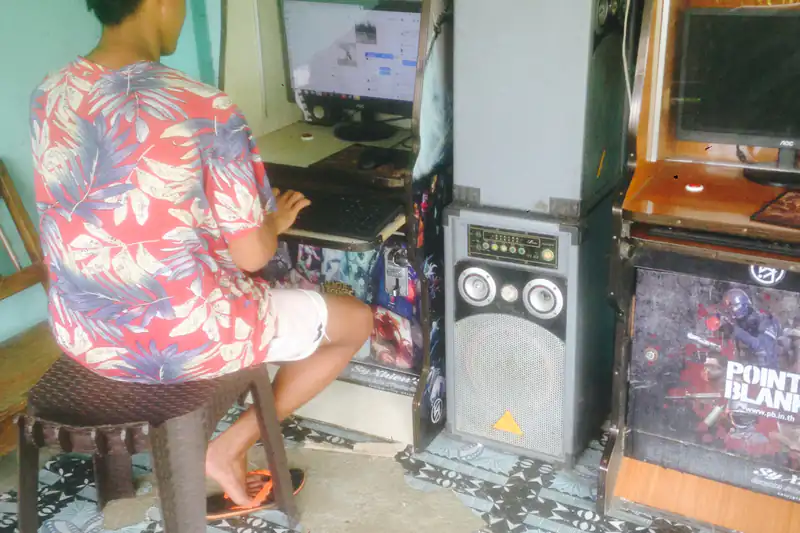
- No piso-net logins: Shared PCs at piso-net shops and internet cafés may have keyloggers or saved sessions. Use them for casual games only.
- Watch for phishing: SMS and chat links promising prizes are the classic phishing trap. Never share OTPs.
- Keep minors out: If kids use your phone, use a separate user profile or parental controls, and never leave a gaming account logged in.
For payment-specific advice, read our e-wallets and payments guide, and before trying any site, run through the NIMOGAMING safety checklist.
Quick setup checklist
- Update your phone's OS and browser.
- Bookmark the verified official site, or add it as a PWA.
- Keep Play Protect on and "unknown apps" off.
- Set a screen lock, enable 2FA and turn on transaction alerts.
- Set app timers and a budget before you start.
Want to know which games suit a small screen best? Short-round titles like the ones in our slots guide and fishing games guide work well on phones, while live dealer streams need a steadier connection. Whatever you choose, keep sessions short and planned, and read our terms and conditions to understand how NIMOGAMING content should be used.
Mobile gaming should feel easy and sulit, not risky. Explore our games overview, learn about the scene in our esports guide, or check the NIMOGAMING FAQ if you have questions.
Frequently asked questions
Is it safer to play in the browser or with an APK?
The browser or a PWA is usually safer because nothing is installed outside the browser sandbox. Only use an APK from the operator's verified official website.
What is a PWA?
A progressive web app is a website you add to your home screen. It looks like an app but still runs inside your browser with its security protections.
How much data does live casino use?
Live dealer games stream video, so they use much more data than slots. Lower the video quality on mobile data and use trusted Wi-Fi for long sessions.
How do I limit gaming time on my phone?
Use Digital Wellbeing app timers on Android or Screen Time App Limits on iPhone, and pair them with deposit limits on any platform.
Can I log in at a piso-net shop?
Avoid it for any account with money. Shared computers can store sessions or have keyloggers. Use your own locked phone on mobile data instead.
Keep reading
Browse all NIMOGAMING guides →
Top photo: Photo: Ahri Boy / Wikimedia Commons, CC BY 4.0 (cropped)

AI-assisted content: This article was drafted with help from AI writing tools, then reviewed, fact-checked and edited by Roland Dee. Games, payment options and promotions change — always confirm current details on the operator’s own pages and with the regulator, such as PAGCOR. 21+ only. Read our editorial policy.